Posts

Oracle-DB: Find SQLs that are missing partition pruning even if it could be possibly used
Image
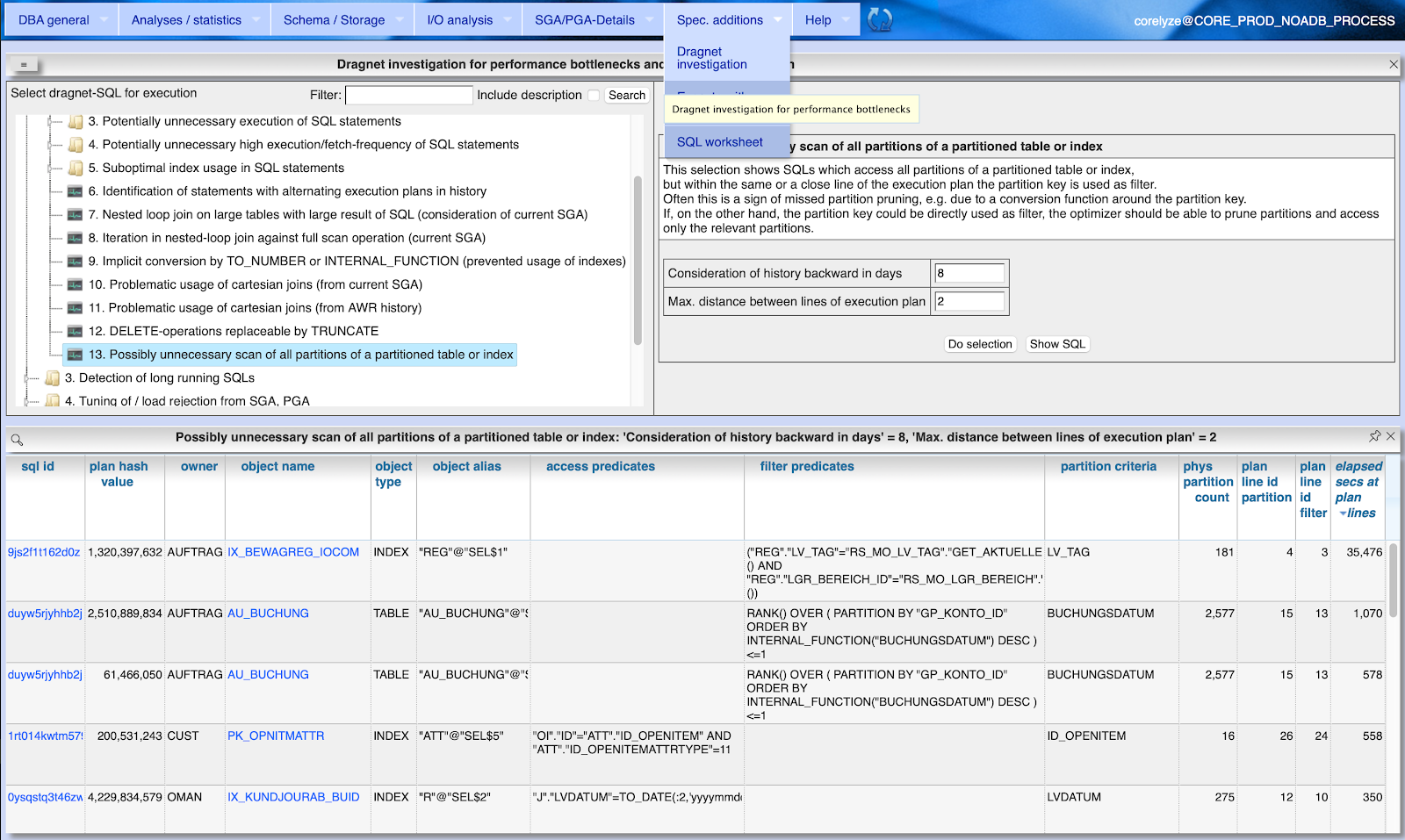
Some times a SQL execution includes all partitions of a partitioned table or index into processing, although there are filter conditions used that contain also the partition key of that partitoned table or index. There are several possible reasons why the optimizer does not recognize that access could be reduced to one or less partitions (a.k.a. partition pruning): The partition key can be obfuscated behind a conversion function The partition key can be compared to a function result that is known only at execution time Being able to use partition pruning can make a huge difference for execution time of the SQL. Imagine you only need to scan one partition of a table instead of several thousands. Often only a small change in the SQL statement can drive the optimizer to use partition pruning. A small example where all partitions are scanned due to comparison of the partition key with a function result: Get the sum of order value for a table interval partitioned by day. SELE...

Oracle-DB: How to evaluate the "hint_usage" section of column OTHER_XML in execution plan

Image
What does the database really do with your optimizer hints in SQL statements? Starting with Oracle 19c the column 'OTHER_XML' of V$SQL_Plan rsp. DBA_Hist_SQL_Plan or Plan_Table was extended by a section 'hint_usage'. This gives information about the state of optimizer hint usage correlated with the line in the execution plan. Example for section 'hint_usage' of OTHER_XML Lets take this simple but useless SQL as example: SELECT /*+ FULL(c) QB_NAME(Outer) NONSENS(c) */ * FROM cust.Customer c WHERE ID_Company IN ( SELECT /*+ USE_NL(cp) QB_NAME(Inner) */ 12 FROM sysp.Company cp WHERE RowNum < 5 ) AND RowNum < 20; The section 'hint_usage' in PLAN_TABLE.OTHER_XML looks like for this example: <hint_usage> <q> <n><![CDATA[INNER]]></n> <h o="EM"> <x><![CDATA[QB_NAME(Inner)]]></x> </h> ...

Oracle DB: Evaluate database audit trail with Panorama

Image
The performance analysis tool Panorama for Oracle now supports both evaluation of standard audit trail as well as evaluation of unified audit trail. The menu item "DBA General" / "Audit Trail" / "Auditing rules" shows the current configuration of the DB audit trail as well as several auditing rules for standard, fine grained and unified audit trail. With menu item "DBA General" / "Audit Trail" / "Standard audit trail" you open a dialog for evaluation of standard audit trail including find grained audit trail. Depending on the choosen value for "Grouping" single audit records are show for the selected period or the result is grouped by time with record counts for the top x OS and DB users, machines and actions. By clicking at the links in the columns for "Action", "Machine", "User" etc. you can refine the grouped result. Clicking at the column "Audits total" shows the s...

Oracle-DB: Ensure uniqueness across table boundaries

Image
Consider the following requirement: There are two tables. Table MASTER is referenced from table DETAIL. CREATE TABLE Master ( ID NUMBER PRIMARY KEY , Company_ID NUMBER ); CREATE TABLE Detail ( ID NUMBER GENERATED BY DEFAULT ON NULL AS IDENTITY PRIMARY KEY, Master_ID NUMBER REFERENCES Master(ID), Value NUMBER ); The content of the table DETAIL should be unique in a combination of two values: the column DETAIL.VALUE and the column MASTER.COMPANY_ID from a directly referenced table. Each column of this tables except the primary key columns can be changed. Limits of solution approach with function based index A first thought when securing uniqueness across table boundaries is often the use of function based indexes with a function that selects the second value from the referenced table. CREATE OR REPLACE FUNCTION Get_Company_ID(p_Master_ID IN NUMBER) RETURN NUMBER DETERMINISTIC IS v_Company_ID NUMBER; BEGIN SELECT Company_ID INTO v_Comp...

Oracle-DB: How to enforce the optimizer to do group operations at the most inner level

Image
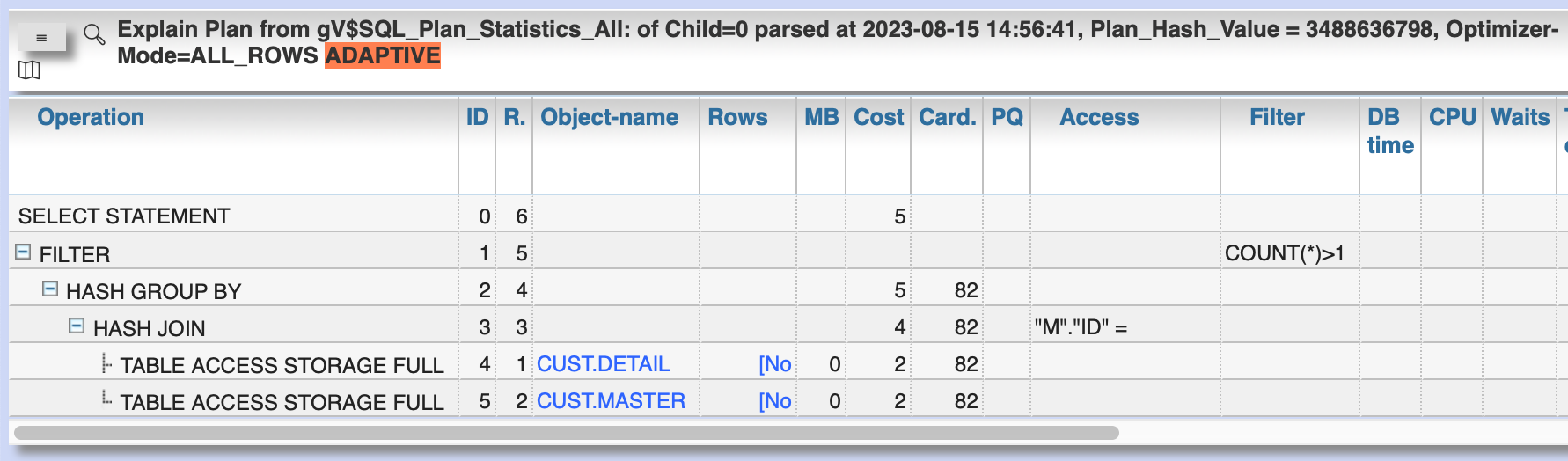
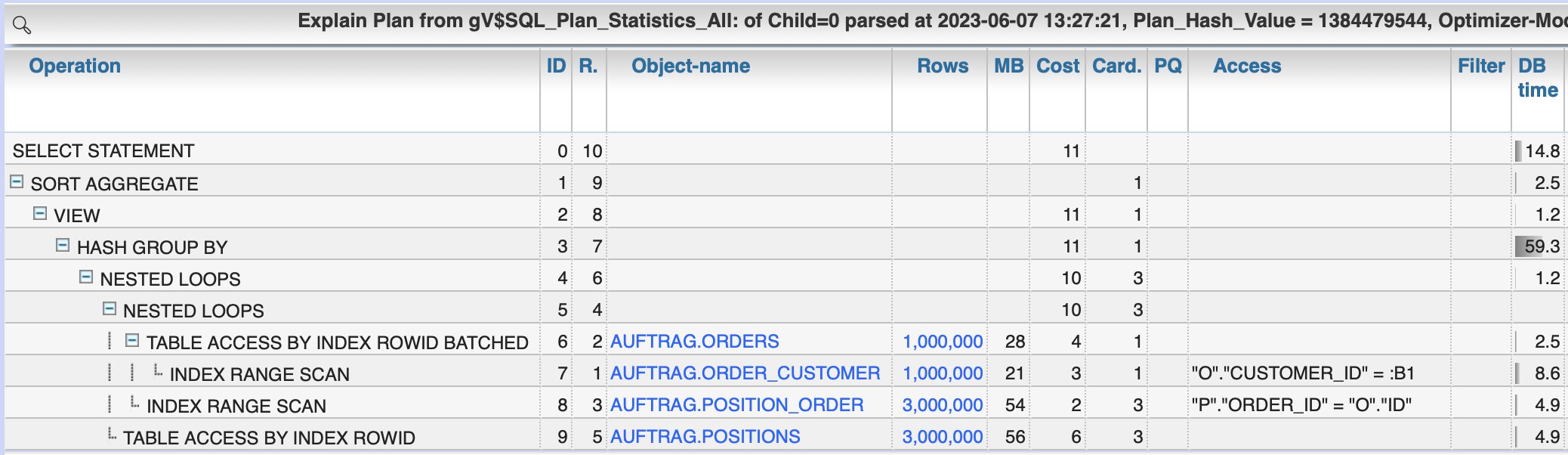
The most efficient way of processing GROUP BY or SORT operations is often if they are executed only at the really necessary DB objects and the smallest number of rows and columns.  The optimizer itself tends to move GROUP BY and SORT operations out to the last operation of a SQL, thus executing these operations on larger data sets than necessary.  One way to improve that is to use the so called VIEW_PUSHED_PREDICATE feature forced by the NO_MERGE hint. Prepare example task You have two tables ORDER and POSITION. CREATE TABLE Orders ( ID NUMBER, Customer_ID NUMBER, CreationDate DATE ); INSERT INTO Orders SELECT Level, dbms_random.random, SYSDATE - Level/10000.0 FROM DUAL CONNECT BY Level <= 1000000 ; COMMIT; ALTER TABLE Orders ADD CONSTRAINT Orders_PK PRIMARY KEY (ID); CREATE INDEX Order_Customer ON Orders(Customer_ID); EXEC DBMS_Stats.Gather_Table_Stats(SYS_CONTEXT('USERENV', 'SESSION_USER'), 'ORDERS'); CREATE TABLE Positions ( Order_ID...

Oracle-DB: Requirements for a multi-column index for protecting foreign key constraints

 If you want avoid blocking locks while using referential integrity constraints in an Oracle-DB, it is suggested to protect a foreign key constraint by an index. Not always it is useful and necessary to protect a foreign key constraint with an index. But this question was considered separately in this blog post. The question today is: What column structure must an index have to be accepted by the Oracle DB as protection for a multi-column foreign key constraint? To answer this question, several scenarios are tested. Test setup: CREATE TABLE Dim(ID1 NUMBER, ID2 NUMBER, ID3 NUMBER, Name VARCHAR2(200)); ALTER TABLE Dim ADD CONSTRAINT Dim_PK PRIMARY KEY (ID1, ID2, ID3); INSERT INTO Dim VALUES(1,1,1, 'First'); INSERT INTO Dim VALUES(2,2,2, 'Second'); CREATE TABLE Fact(ID1 NUMBER, ID2 NUMBER, ID3 NUMBER, Name VARCHAR2(200)); ALTER TABLE Fact ADD CONSTRAINT Fact_Dim_FK FOREIGN KEY (ID1, ID2, ID3) REFERENCES Dim(ID1, ID2, ID3); Scenario 1: No index second session is blo...

Panorama: Long-term trend analysis of Oracle database workload

Image
Why Oracle DB allows retrospective evaluation of workload of active sessions by Active Session History (ASH) if you have Enterprise Edition and Diagnostics Pack. The default retention time for ASH is 7 days back from now, usual settings for production are around 30 days. But sometimes you need to analyze the evolution of database load over longer periods like over many years (e.g. as base for hardware planning and capital budgeting). There are less builtin alternatives yet: Increase the ASH retention time up to years leads to a huge amount of data, cumbersome or impossible to handle Using the AWR-warehouse function in an EM Cloud Control installation may fit your needs, but especially for single or less database instances this causes an inappropriate effort. What Panorama-Sampler allows you to extract some information from ASH and store it compressed as summary other periods between one hour and one day. The Panorama-GUI contains table-views and diagrams for evaluatio...

Oracle-DB: Real-time monitoring dashboard in Panorama

Image
In addition to various functions, the free performance analysis tool  Panorama now also offers a browser dashboard for real-time monitoring of Oracle database performance. This shows key indicators for active sessions by wait class as well as top sessions and top SQLs in considered time period. Several values within this dashboard are presented as links which allow to dig in deeper using Panorama's  standard analysis workflows.  Choose menu entry "DBA general"/"Dashboard", the time to cover until now and a refresh rate: As long as gv$Active_Session_History has retrospective data it is shown in the graph for the chosen time period grouped by wait class. At next refresh time only the delta since last refresh is transferred from gv$Active_Session_History to your browser instance. Investigate a particular time period within the presented data The top sessions and SQLs are related to the current time frame you can select within the chart. If you select a particular ...

Oracle-DB: Run a rolling window over interval partitioned tables / avoid ORA-14300, ORA-14758

A problem using interval partitions may be that the number of partitions may not exceed 1.048.575 (1024*1024-1).  If using interval partitions not only the physical partitions count. Instead, the number of possible partitions between the required first range partiton and the last interval partition counts for the limit (in consideration of the used interval).  If you exceed the limit, ORA-14300 (partitioning key maps to a partition outside maximum permitted number of partitions) is raised .  So if you have a rolling window with interval partitions, where new interval partitions at the upper bound are created and older partitions are dropped if no longer needed, you may run into ORA-14300 if your initially created range partition becomes to far away from the upper bound of interval partitions.  A possible solution should be to increase the high value of the initial range partition to lower the distance to the highest interval partition.  But how to do that? ...

Oracle-DB: Link between audit trail and active session history

Unfortunately the audit trail of the Oracle-DB uses a different session identifier (AudSid) than the Active Session History (SID + Serial#). Both identifiers are available in v$Session (AudSid, SID, Serial#). So during lifetime of a session it is possible to link between the session info from v$Session an audit trail. But neither the AudSID is stored in ASH (v$Active_Session_History) nor the SID + Serial# is stored in audit trail. This prevents from combining session info of both sources after the session is closed. There is a possible way to link audit trail with ASH by establishing a logon trigger for that. The LOGOFF records in audit trail (if AUDIT SESSION is active) record also the Client_Identifier from v$Session. So supplying v$Session.Client_Identifier with the needed info allows to retrieve it from DBA_Audit_Trail.Client_ID.  This logon trigger does it: CREATE OR REPLACE TRIGGER Client_ID AFTER LOGON ON DATABASE -- Put unique session identifier into client-id to have ...